ABB FlexPendant DSQC 679 (3HAC028357-001): Damaged Screen, No Touch Response and Restarts - Panel, Cable or IRC5 Controller?
Files to download
A FlexPendant that goes dark, ignores touch or restarts during manual jogging stops work at the robot. Learn how to tell whether the panel, the cable or the IRC5 controller is at fault, and what to record when assessing or buying a used 3HAC028357-001 panel.
ABB FlexPendant DSQC 679 (3HAC028357-001): damaged screen, no touch response and restarts - panel, cable or IRC5 controller?
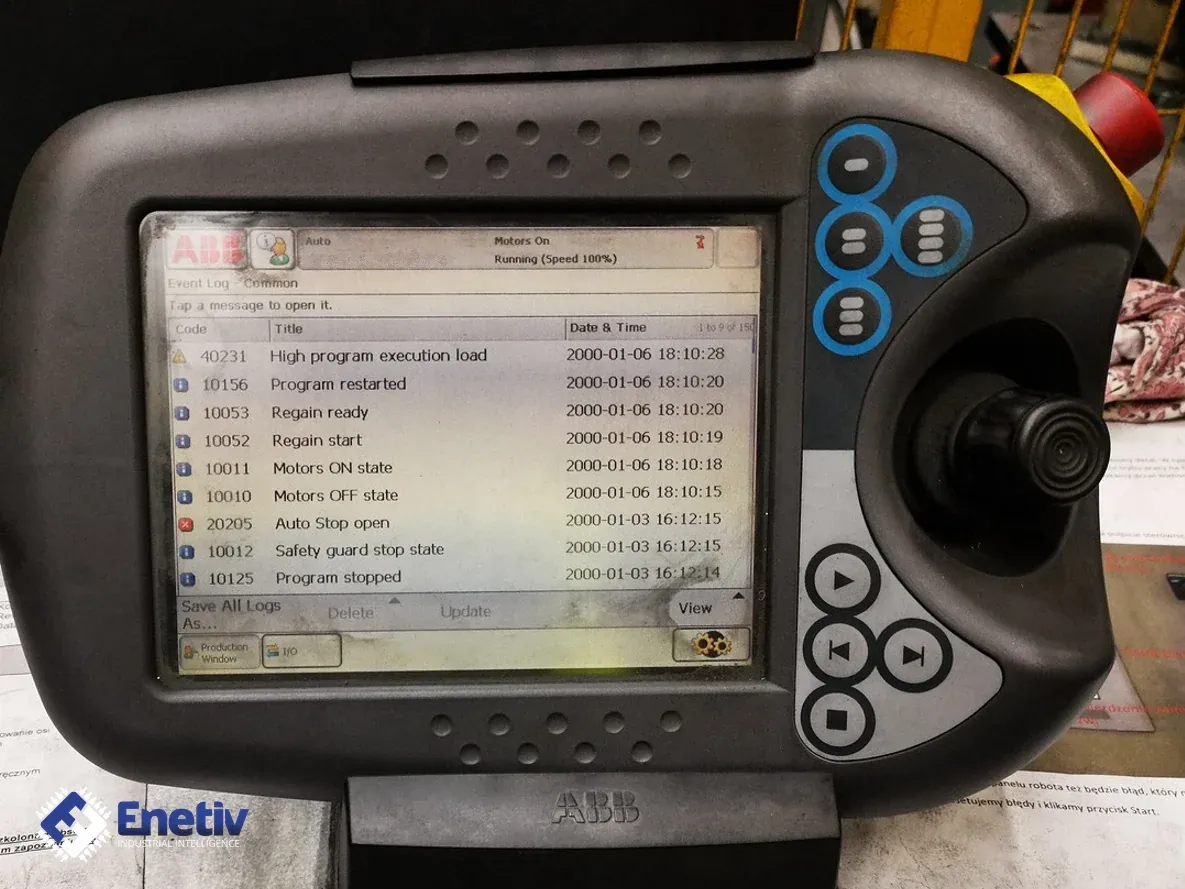
A FlexPendant that goes dark, does not respond to touch or restarts during manual jogging stops work at the robot. Without it, it is hard to run a program, move the manipulator by hand or correct code. It is the ABB robot's hand-held programming and operating unit with a touchscreen, joystick and buttons, connected by a cable to the IRC5 controller. It hangs on the cable, so it gets dropped, knocked and bent at the cable entry, which makes mechanical damage common.
This article covers the panel with article number 3HAC028357-001, described in listings as DSQC 679, with the name SxTPU3 in the parts catalog. A cracked screen, no touch response and restarts can come from the panel itself, from the cable or from the controller side, so the text sets out the order of checks and shows what can be concluded from the result of each test, without guessing at causes. This also matters when a used panel is bought or assessed before it is installed in a robot.
FlexPendant DSQC 679 (3HAC028357-001) – characteristics
The 3HAC028357-001 panel is a hand-held operating unit (TPU) that works with the IRC5 controller. It is used to run programs, jog the manipulator manually and modify robot programs. It has a color touchscreen and a three-dimensional joystick, and according to the distributor's description it is intended for harsh industrial environments, with a screen said to be resistant to water, oil and accidental weld spatter. That resistance does not mean the panel will survive a drop or a crushed cable, so a mechanical inspection is always the first step.
When identifying the panel, the number on the label is important. The distributor's description states that 3HAC028357-001 replaces the older panel 3HAC023195-001, so the number on the housing has to be compared with the correct one. In one listing of a robot with an IRC5 Compact controller, the panel was described as an ABB FlexPendant, model DSQC 679, article number 3HAC028357-001, version 14, so when assessing a used unit it is worth reading both the number and the version from the label.
This panel should not be confused with the newer one. In the IRC5 brochure, ABB describes the fourth generation of the FlexPendant (TPU4). It is a different panel, so its data from the brochure, including the screen, connector and protection rating parameters, does not apply to the 3HAC028357-001 model.
What the ABB manual recommends
Before assessing the panel's behavior, you have to be sure the controller has finished starting up. The ABB manual "Operating manual - Trouble shooting IRC5" gives this in a diagnostic step: "Make sure that the control system power supply is in run-time mode. Do this by waiting 30 seconds after power-on." The entry refers to the control system power supply and indicates that after power-on you should wait 30 seconds, which means the panel is assessed only after that time, not during startup.
The same ABB manual starts diagnostics with the step: "Check the FlexPendant for errors and warnings." Error and warning messages on the panel are therefore the first source of information, provided the display and the communication with the controller work. All displayed messages are worth writing down or photographing, because their content helps narrow down the cause further. If, however, the screen is dark or damaged, or the panel is not receiving data from the controller, this step cannot be done and what remains is the inspection and the tests described below.
What to watch out for when testing
A test of the panel can be misleading if simple external causes are skipped. First, inspect the screen and housing for cracks, dents and signs of impact, and then check the condition of the connector plug and the cable contacts: bent or dirty contacts, signs of corrosion, play in the socket. The cable is inspected separately along its whole length, looking for places where it is crushed or sharply bent, because such damage gives symptoms that depend on how the cable is laid. You also need to check whether any button is accidentally pressed or stuck.
It is important to distinguish two situations: damaged glass, meaning visible cracks and chips, is a different symptom from no touch response with undamaged glass. In the second case a visual assessment is not enough and you have to move on to tests with another cable or another controller. In addition, check the label with the article number and version on the housing. For a used panel, also record its origin, for example which robot it was taken from and what condition it was in then, because without this it is hard to assess the course of the fault later.
How the check is carried out
The order below is diagnostic reasoning, not manufacturer data. It goes from the simplest and cheapest tests to those that need additional equipment:
- Inspection of the panel, connector plug and cable, noting any mechanical damage.
- Checking the cable connection to the controller and to the panel, and waiting the startup time from the ABB manual.
- Reading the error and warning messages on the panel, if the screen works.
- Trying the same panel with another cable known to be good.
- Trying the panel on another controller on a test bench.
- Observing whether the restart or loss of touch occurs after moving the cable, or independently of that.
The result of a test shows on which side the fault lies. If the symptom depends on cable movement, suspicion falls on the cable or connector, and if the same symptom stays with the panel on another controller as well, it points to the panel itself. If, on the other hand, the symptoms appear on every panel connected to a given controller, the cause has to be looked for on the controller side. Such a result does not yet say what exactly should be replaced, so it is not assumed in advance that replacing the glass, the mainboard or the cable will remove the symptom. Before ordering parts or deciding to buy a panel, you therefore need to establish on which side the fault lies and record the article number and version from the label, which helps avoid replacing an element that was not the cause.
FAQ
How can you tell damaged glass from a damaged digitizer by inspection?
Damaged glass is visible: cracks, chips, scratches. No touch response with undamaged glass does not by itself point to the digitizer, because the cause can also be a button stuck in the housing, a cable problem or the controller side. Therefore, after the inspection, a test with another cable and on another controller is carried out.
What should be recorded when buying a used panel?
It is worth recording the article number and version from the label on the housing, the condition of the screen, housing, connector plug and cable, and the origin of the panel. It is also good to note whether the panel was tested on your own controller and with which cable, because such a note later makes it possible to tell a defect of the purchased unit from a fault at the test bench.
Enetiv works in industrial automation from two sides: we supply parts and we repair them. We carry PLC controllers, inverters, HMI panels and external devices as new, used and refurbished, including brands such as Allen-Bradley (Rockwell Automation), Siemens, Schneider Electric, Bosch Rexroth and ABB. We also specialize in end-of-life (EOL) parts and service, including older-generation and unusual components. We diagnose and repair inverters, servo drives, I/O modules and controllers, and we also service motors and servomotors. Contact us at enetiv.com/kontakt.