Injection Molding Machine Controllers: Repairing the Operator Panel, Keypad and Battery-Backed Memory (Arburg, Engel, Battenfeld)
Files to download
No picture on the screen, dead keys or parameters lost after switching off are common faults in older injection molding machine controllers. Learn how to tell what is failing in the operator panel, keypad and battery-backed memory, and what to note down before ordering a repair (Arburg, Engel, Battenfeld).
Injection molding machine controllers: repairing the operator panel, keypad and battery-backed memory (Arburg, Engel, Battenfeld)
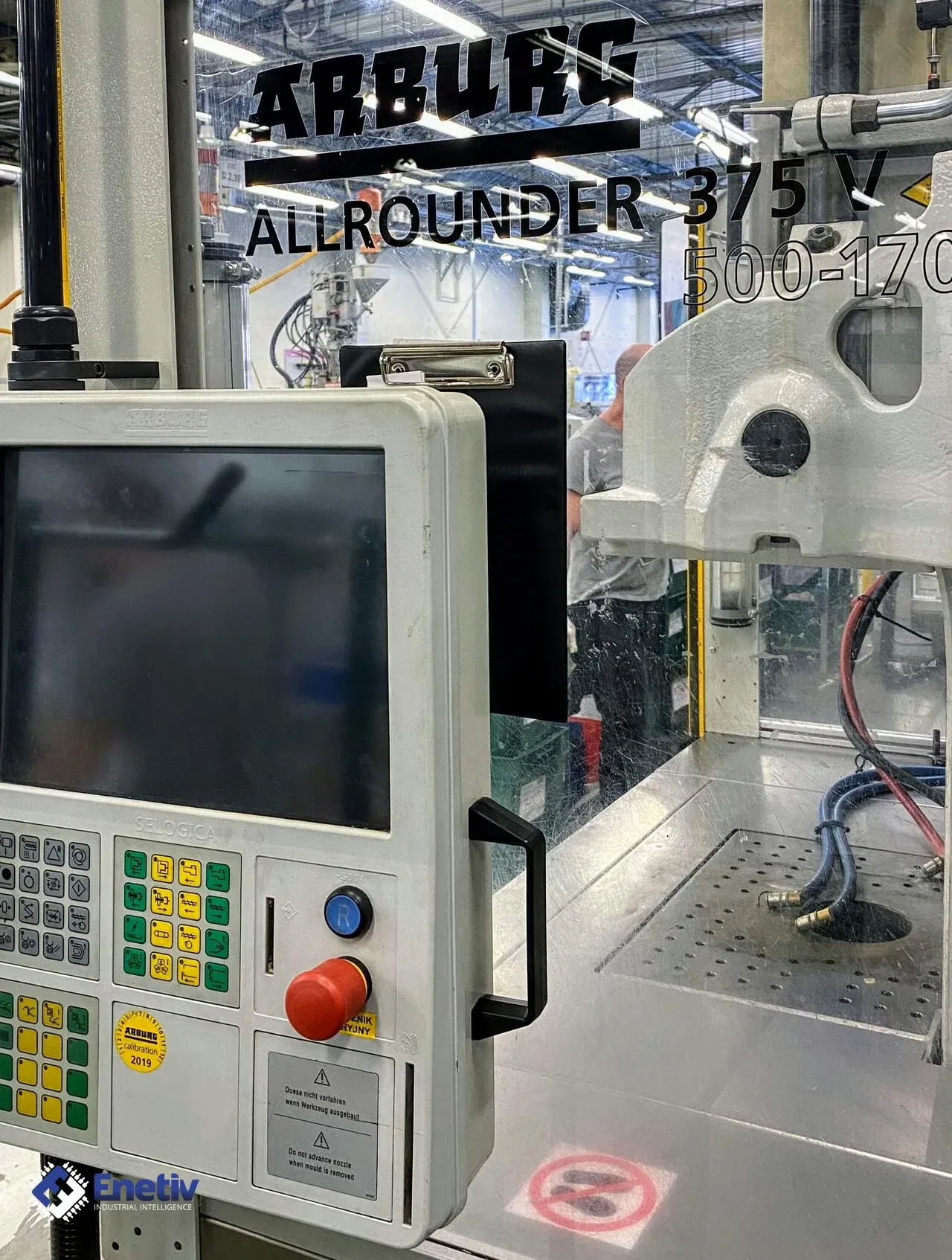
When the screen shows no image or only some of the keys respond, a maintenance technician has to decide whether the operator panel can be repaired or whether spare parts have to be sourced. The injection molding machine controller connects the operator to the machine: it accepts commands from the screen and keys, and then controls the hydraulics, drives, sensors and peripheral devices such as a robot, a temperature control unit or a material feeding system. The panel shows the process status and is used to enter machine parameters.
In older machines the panel has been working for many years in a shop floor environment that can be dirty, hot and humid, and the keys are pressed many times during a shift. The keypad foil wears out, the backup battery of the memory ages, and fewer and fewer new parts are available for older controller generations. Before ordering a repair, it therefore pays to establish exactly what is installed on the machine and what in the panel may fail. The same procedure applies to older Arburg, Engel and Battenfeld injection molding machines, and the specific technical values concern only two Battenfeld controllers.
Typical symptoms of panel and memory faults
Typical symptoms are memory error messages, no image on the screen, a worn keypad, and data loss after the backup battery has discharged. Each of these symptoms points to a different component, so before disassembly you should establish whether the problem concerns the display, the keys, the power supply or the memory. Loss of parameters after power-off points to the battery or the memory circuit, while individual dead keys point to the keypad foil or its connector.
When there is no image, first distinguish whether the screen is completely dark or only without backlight. A barely visible image that shows up when viewed against the light usually means a damaged backlight, whereas no reaction at all with the LEDs on the control unit lit more often points to a problem with the connection between the panel and the control computer. If the machine starts up but restarts by itself after a short time, you also have to consider the panel power supply and the condition of the power supply unit in the cabinet.
The role of the backup battery and memory
The backup battery powers the memory while the controller is disconnected from the power supply, so that process parameters, mold data and machine settings are not lost when it is switched off. The cell ages regardless of how intensively the machine is used, and longer stoppages, for example during a plant shutdown, can reveal that it is exhausted only when the machine is switched on again. A discharged battery may therefore show itself only after the machine has been completely disconnected from the mains.
Replacing the cell alone does not solve the problem if the data has already been lost, and in practice that is exactly when the machine needs its parameters entered again. Good practice is therefore to save the settings periodically to an external medium, before any symptoms appear. You should also establish whether the battery is soldered or seated in a holder, because this determines the scope of work and the risk of damaging the board during replacement.
Comparison of the UNILOG B8 and UNILOG B6E controllers
Both controllers come from Battenfeld, but they differ in the panel, and this affects the choice of parts and the way of repair. The UNILOG B8 has a large touchscreen and runs under a general-purpose operating system.
The UNILOG B6E has a screen with touch operation. Below the screen there are two rows of soft keys for selecting machine functions, and ten membrane keys with illuminated rings operate the basic machine functions. A full manual panel with 48 membrane keys is an option in the B6E, so not every machine with this controller has it. This detail has to be checked on the specific machine before you order a keypad or its repair. This does not mean, however, that panels, keypads or modules are interchangeable between these models or between brands, and interchangeability is decided only by the documentation of the manufacturer of the given controller.
In service practice, the difference in panel design affects the approach to diagnostics. A controller with a large touchscreen and a general-purpose operating system behaves partly like an industrial computer, so in addition to hardware faults there are sometimes problems with the software or the data medium. In the UNILOG B6E the membrane keypad needs particular attention during assessment, because it is the component most exposed to mechanical wear.
Markings to note down before ordering a repair
Before commissioning a repair, note down everything that identifies the controller and the machine. This means the controller type designation and the data from the machine rating plate, the serial numbers, and also the labels with the hardware and software version on the housing of the panel and of the control unit. You should also note which options are installed, for example whether the panel has a membrane keypad and additional switches. It is a good idea to take photos of the labels, the connectors and the rear view, because this makes it easy to avoid mistakes when ordering parts or having the repair done externally.
On the UNILOG B8, the ambiLED signaling helps with diagnostics, because the color indicates the type of problem before the panel is opened. Red means a safety error, blue a process or production error, and yellow a fault of a peripheral device or the machine. Green signals operation in automatic or semi-automatic mode, white operation in manual mode. If the screen is damaged but the signaling is lit, you can at least see what state the machine is in.
It is also useful to check that the labels have not been painted over, worn off or covered by later modifications. If a marking is illegible, serial numbers recorded in the machine documentation or in the records of previous inspections can help. The collected data is best kept together with the repair history of the given machine, because it saves time at the next failure.
Specific values: UNILOG B8 and UNILOG B6E
The UNILOG B8 has a 21.5" Full-HD Multi-Touch screen, so when replacing the screen or the whole panel, the diagonal and the touch type matter. The operating system is Windows 10 IoT, which means that in the case of a failure of the data medium or the computer, the system software has to be taken into account as well, not just the display itself.
The B8 also has an emergency stop button, a USB interface and a contact point for RFID login. The panel therefore has several components that can wear out independently of the screen.
The UNILOG B6E has a 15" color TFT screen, and the machine is operated through the touchscreen. At the operating panel there is 1 USB port, which can be used to connect peripheral devices or to authorize access via a USB stick together with passwords. With a damaged port you therefore have to expect login problems, not only the inability to load data. In the control cabinet there is 1 Ethernet interface, so when diagnosing the network connection, the cable is looked for in the cabinet, not on the panel.
The B6E keeps an event log of 1000 events. It also displays the temperature inside the electrical cabinet, which is a clue when overheating of the electronics is suspected. The event log is worth using to establish the cause of the failure before disassembly.
What to watch for during replacement
- Inspection of connectors and contacts - signs of corrosion, burn marks or loose plugs often explain intermittent operation of the panel without replacing any parts.
- Condition of the keypad ribbons - cracks, creases and worn tracks are a common cause of dead keys.
- Diagnostics by LEDs - on the UNILOG B8, the ambiLED color indicates the type of error before the panel is opened.
- Labels with hardware and software version - noted down from the housing before ordering, they prevent ordering the wrong part.
- Test on a test bench - checking the panel outside the machine distinguishes a panel fault from a fault in the cabinet or the wiring.
- Documentation of part origin - for used parts, it confirms where they come from and which controller they were intended for.
- Backup of parameters before replacing the battery - discharging or disconnecting the backup may erase the data.
The battery must be replaced with the type recommended by the manufacturer of the given controller, because it must not be assumed that a cell from another machine or another brand will be suitable.
Safety and workstation preparation
Work on the panel and the control cabinet is carried out with the power switched off and secured, and the main switch must be locked against accidental switching on. After disconnecting the power, wait until the capacitors in the power supplies and drives have discharged, and only then reach into the housing. Panel electronics are sensitive to electrostatic discharge, so an ESD wrist strap is used, along with antistatic packaging for removed boards and keypad foils.
Before disconnecting plugs, it is a good idea to label each of them and photograph its position, because many connectors in the panel look similar and are easy to mix up. Ribbon connectors require particular care, because the latches are delicate and pulling too hard damages the tracks. If the machine has an emergency stop button integrated into the panel, its operation must be checked after the work is finished, before the machine returns to production.
General repair steps
- Back up the machine parameters and data.
- Identify the controller and the installed options.
- Remove the panel or the damaged component with the power disconnected.
- Install the repaired or new part.
- Connect the panel and check the connectors.
- Start the controller.
- Test the operation of the screen, all keys and the signaling.
- Check the behavior of the memory after switching the power off and on again.
- Document the work done and the parts used.
Start-up and tests after repair
After the panel is installed, the first switch-on is done with the machine in a safe state, without movements and without heating, in order to observe only the behavior of the controller. Check whether the screen shows a full image without interference, whether the touch responds evenly across the entire surface, and whether any key acts on its own. Only then is the drive started and movements performed in manual mode, checking that commands from the keypad correspond to the correct axes and functions.
The memory test should include a complete switch-off of the main power, not just stopping the machine, because only then is the battery actually loaded. After switching on again, selected parameters and mold data are compared with the backup. If the machine works in a production line with a robot or other devices, finally also check the cooperation with them, because replacing the panel can reveal loose connectors in the signal wiring.
FAQ
How can I recognize a worn keypad?
Typical signs are keys that respond with a delay, need hard pressing, or do not respond at all. With a membrane keypad, check each key one by one.
How should I document the condition before the repair?
Photograph the labels, connectors and wiring, note down the controller designations and the hardware and software versions from the labels, and also record the symptoms and the messages visible on the screen. With the UNILOG B6E you can additionally use the event log of 1000 events to preserve the history from before the failure.
Enetiv works in industrial automation from two sides: we supply parts and we repair them. We carry PLC controllers, inverters, HMI panels and external devices as new, used and refurbished, including brands such as Allen-Bradley (Rockwell Automation), Siemens, Schneider Electric, Bosch Rexroth and ABB. We also specialize in end-of-life (EOL) parts and service, including older-generation and unusual components. We diagnose and repair inverters, servo drives, I/O modules and controllers, and we also service motors and servomotors. Contact us at enetiv.com/kontakt.