Mitsubishi PLC Differences and Migration: FX2N, FX3U vs FX5U (iQ‑F) – A Thorough Guide
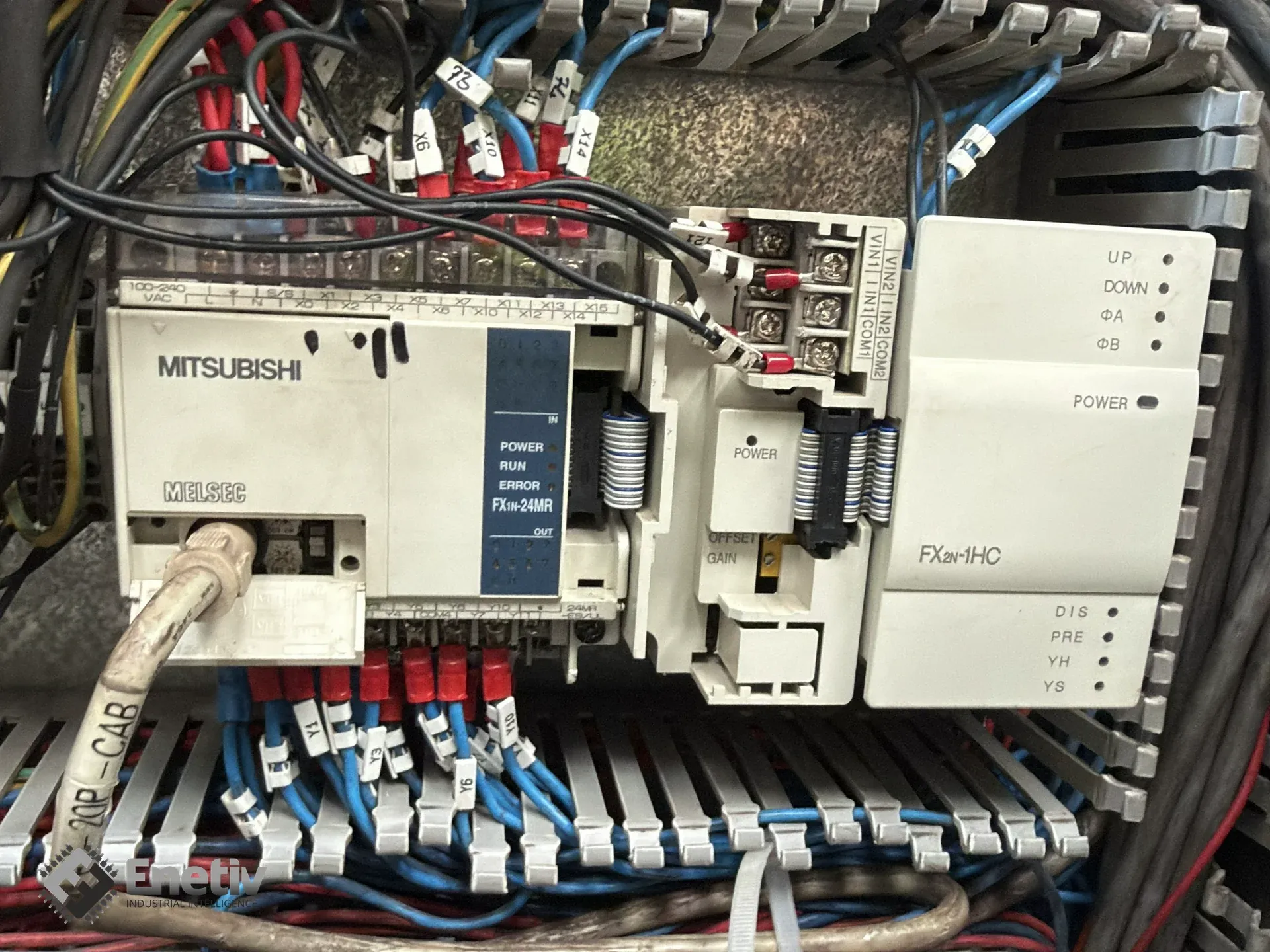
Files to download
Technical differences between the FX2N, FX3U, and FX5U (iQ‑F): performance, memory, communication, migrating projects from GX Works2 to GX Works3, mapping M8000‑M8013 registers to SM/SD, and retrofit solutions.
Mitsubishi PLC Differences and Migration: FX2N, FX3U vs FX5U (iQ‑F) – A Thorough Guide
Do you have older FX2N or FX3U controllers on the plant floor and are wondering whether it's worth moving to the latest FX5U platform from the iQ‑F family? In this guide we explain the technical differences between the generations, show how to carry existing code over from GX Developer and GX Works2 to GX Works3, and offer tips for keeping compatibility with your existing hardware.
Why upgrade an FX2N or FX3U controller to the iQ‑F FX5U platform – performance benefits and future scalability
Upgrading to the FX5U delivers a twofold increase in instruction processing speed (34 ns vs. 65 ns for LD/MOV), a 150‑fold increase in system bus throughput (up to 1.5 kwords/ms), and expanded program memory (up to 64 ksteps, extendable to 128 ksteps with newer firmware) plus data memory (120 kB). Thanks to built‑in Ethernet and RS‑485, the new controllers remove the need for additional communication modules, cutting installation time and reducing maintenance costs.
What are the key performance and memory differences between FX2N, FX3U and FX5U – comparing cycle time and memory capacity
The FX2N series (now Obsolete) used a processor with a basic instruction execution time of 0.08 µs (80 ns) and standard program memory of 8,000 steps, expandable to 16,000 steps with an optional memory cassette. The FX3U (End‑of‑Life) raised performance to 65 ns for LD and MOV instructions and 64 ksteps of program memory, but lacked built‑in Ethernet communication. The FX5U brings 34 ns for LD/MOV, 64 ksteps of program memory (extendable to 128 ksteps) plus 128 kB of flash, and an additional 120 kB of device/label memory, allowing for more complex control algorithms and a larger number of global variables. The full 64 ksteps of memory can be used as program area, giving maximum flexibility in application design.
What communication and I/O interface changes does the FX5U bring compared to older series – Ethernet, RS‑485, and pulse positioning
The FX5U features a native 100/10 Mbps Ethernet port supporting the MELSOFT, Modbus TCP, and CC‑Link IE Field Basic protocols, along with a built‑in web server for remote diagnostics. It also has an RS‑485/RS‑422 port (115.2 kbps) enabling Modbus RTU communication without additional expansion cards. The platform also offers 4‑axis pulse positioning up to 200 kHz, useful for drive applications and precise motor control. Compared to the FX3U, which required additional modules for Ethernet and RS‑485, the FX5U integrates these interfaces as standard.
How to migrate a project from GX Developer / GX Works2 to GX Works3 for the FX5U – step by step
The migration process starts by opening an existing .gxw file in GX Works3 (Projects > Open Other Formats > GX Works2 Formats > Open Project). The tool then automatically converts the ladder instructions, but the following elements require manual verification:
- Timer and counter instructions – some GX Works2 versions use non-standard parameters that need to be matched to the new types in GX Works3.
- Special registers M8000‑M8013 – these need to be replaced with the new SM/SD system registers (details in the next section).
- Absolute addressing vs. global/local labels – it's recommended to convert the code to the structured ST language (IEC 61131‑3) and use function blocks (FBs) for better modularity.
After conversion, the project should be compiled and tested in the GX Works3 simulator, then uploaded to the FX5U using the dedicated software. Note that migration to GX Works3 is one-way — converting a project back to GX Works2 format is not possible.
How to map special registers M8000‑M8013 to the new SM/SD registers in the FX5U – practical examples
In older controllers, M8000 served as a permanently-on relay, M8002 as a first-scan pulse, and M8013 as a one-second pulse. In the FX5U, their equivalents are found in the system registers SM400, SM402, and SM412. Example replacement in ladder code:
LD  M8000          ; old
OUT Y0
becomes:
LD  SM400          ; new
OUT Y0
Similarly, for the first-scan pulse:
LD  M8002
OUT Y1
is replaced with:
LD  SM402
OUT Y1
For the one-second pulse:
LD  M8013
OUT Y2
is replaced with:
LD  SM412
OUT Y2
For more complex projects, it's recommended to consult the full FX5U system register documentation available in the Mitsubishi Electric user's manual, to make sure all special functions are mapped correctly.
Is it possible to connect existing FX3 I/O modules to the FX5U without replacing the whole system – retrofit solutions
Yes, Mitsubishi offers the FX5‑CNV‑BUS and FX5‑CNV‑BUSC bus converters, which allow FX3 expansion modules (e.g. FX3U‑4AD, FX3U‑4DA) to be connected to a new FX5U or FX5UC CPU. The adapters preserve the original address mapping, but require updating the configuration in GX Works3 to reflect the new bus base address. In addition, using the FX5‑CNV‑BUSC lets you keep the existing terminal connectors, minimizing wiring work. Retrofit solutions allow for a gradual system modernization without needing to replace the entire infrastructure.
How to migrate modular Q‑Series systems (Q02CPU, Q06UDVCPU, QJ71E71‑100) to the iQ‑R platform – key steps and available adapters
Migrating from the Q‑Series to the iQ‑R platform requires:
- Choosing a new iQ‑R CPU with the appropriate number of slots and performance level.
- Using an adapter to connect existing I/O modules and communication modules (e.g. an Ethernet module).
- Transferring the project from GX Works2 to GX Works3 – similar to the FX3U migration, but with an additional step for mapping Q‑Series communication modules to the new iQ‑R interfaces.
- Verifying special functions (e.g. high-resolution counters) and replacing them with their iQ‑R equivalents (e.g. SM and SD registers).
How complex the migration is depends on the number and type of modules used; adapters are available in plug‑and‑play versions, but in some cases wiring modifications are necessary, requiring a careful review of the electrical schematics.
Where to find support and components for migration – Enetiv's role as a supplier
Enetiv specializes in trading industrial automation parts, offering a full portfolio of Mitsubishi Electric products (FX5U, iQ‑R, bus converters) as well as Siemens products, including the Simatic S7 series, Schneider Electric (Modicon platforms), Bosch Rexroth, and other manufacturers. If needed, Enetiv can also arrange on-site automation technicians, supporting retrofit projects both within the Mitsubishi ecosystem and in mixed environments.
FAQ
What are the main benefits of moving from the FX3U to the FX5U in terms of cycle time?
The FX5U executes LD and MOV instructions in 34 ns, nearly twice as fast as the FX3U's 65 ns. The shorter cycle time allows for a higher scan frequency and more responsive process control. In addition, the FX5U system bus operates at 1.5 kwords/ms throughput, about 150 times faster than the FX3U.
Can I use existing programs written in GX Developer without changes?
The project can be opened in GX Works3, but not all instructions are fully compatible. Timers, counters, and special registers M8000‑M8013 need to be verified and replaced with SM/SD equivalents. It's also recommended to review the code for opportunities to refactor into the structured ST language (IEC 61131‑3) and function blocks (FBs).
What are the memory limitations of the FX2N compared to the FX5U?
The FX2N offers a standard 8,000 steps of program memory (expandable to 16,000 steps with a memory cassette) and no flash memory, while the FX5U provides 64 ksteps (expandable to 128 ksteps) plus 128 kB of flash and an additional 120 kB of device/label memory, enabling more extensive applications and a larger number of global variables.
Do FX5‑CNV‑BUS converters support all types of FX3U I/O modules?
The converters support standard FX3U digital and analog modules, such as the FX3U‑4AD and FX3U‑4DA, but some specialized cards (e.g. high-frequency PWM) may require an additional adapter or replacement with a native FX5U module. It's recommended to consult Mitsubishi's technical documentation or a partner such as Enetiv.
What network protocols are natively supported by the FX5U?
The FX5U has a built-in 100/10 Mbps Ethernet port supporting MELSOFT, Modbus TCP, and CC‑Link IE Field Basic, as well as a web server. In addition, the RS‑485/RS‑422 port (115.2 kbps) enables Modbus RTU and other serial protocols without the need for additional communication modules.
Does migrating from the Q‑Series to iQ‑R require replacing the entire control system?
Not always. Thanks to adapters, existing I/O modules can be kept, but the project needs to be updated in GX Works3 and the bus addressing may need to change. A gradual modernization is possible, especially when using bus converters.
Where can I get technical support for PLC migration?
Support is provided by Mitsubishi Electric as well as component suppliers such as Enetiv, which supplies parts for migration and iQ‑F/iQ‑R configuration, and can also arrange on-site automation technicians if needed.