Beckhoff CX2040: technical data and replacement with the CX2043
Files to download
The CX2040 is listed as “service phase” and the manufacturer names the CX2043 as the recommended alternative. A comparison of technical data and the differences to check before replacing it.
Beckhoff CX2040: technical data and replacement with the CX2043
The manufacturer lists the Beckhoff CX2040 as "service phase" and names the CX2043 as the recommended alternative. This article compares the technical data of both models and shows the differences you need to check before replacing one with the other. At the end you will find general replacement steps and a short FAQ.
Beckhoff CX2040 and CX2043 at a glance
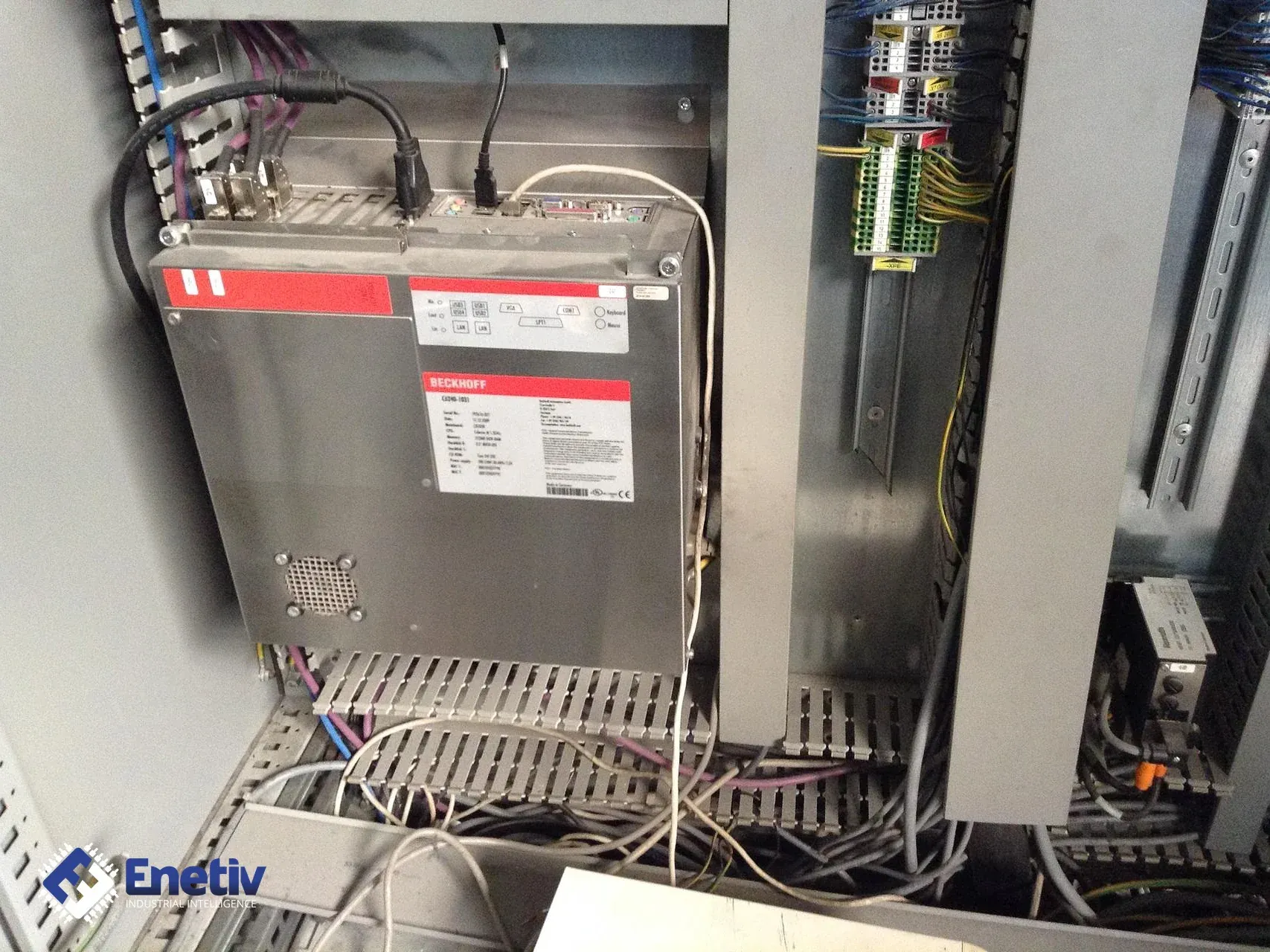
The Beckhoff CX2040 has a four-core Intel Core i7 2715QE processor at 2.1 GHz and 4 GB of DDR3 memory that cannot be expanded. The Beckhoff CX2040 has integrated 128 kB NOVRAM and boots from a CFast card. The Beckhoff CX2040 is cooled by a fan with ball bearings and speed monitoring.
The Beckhoff CX2043 is a modularly expandable Embedded PC for DIN rail mounting, with an AMD Ryzen V1807B processor at 3.35 GHz and four cores. The manufacturer lists its status as regular delivery. The Beckhoff CX2043 has 8 GB of DDR4 memory, which can be expanded at the factory to 16 GB or 32 GB.
The Beckhoff CX2043 has a slot for a CFast card, but the card is not included. It also has 128 kB NOVRAM and a fan with ball bearings and speed monitoring. Both models connect I/O terminals via the power supply unit (E-bus or K-bus, automatic detection).
Comparison of parameters
| Parameter | Beckhoff CX2040 | Beckhoff CX2043 |
|---|---|---|
| Processor | Intel Core i7 2715QE 2.1 GHz | AMD Ryzen V1807B 3.35 GHz |
| Number of cores | 4 | 4 |
| RAM | 4 GB DDR3 (not expandable) | 8 GB DDR4 (expandable at the factory to 32 GB) |
| Flash memory | CFast card, 20 GB or 40 GB depending on the operating system, optionally expandable | slot for a CFast card, card not included |
| NOVRAM | 128 kB | 128 kB |
| Interfaces | 2 x RJ45 10/100/1000 Mbit/s, 1 x DVI-I, 4 x USB 2.0, 1 x optional interface | 2 x RJ45 10/100/1000 Mbit/s, 1 x DVI-D, 4 x USB 3.2 Gen. 2, 1 x optional interface |
| Operating systems | Windows Embedded Compact 7, Windows Embedded Standard 7, Windows 10 IoT Enterprise 2016 LTSB, TwinCAT/BSD | Windows 10 IoT Enterprise 2019 LTSC, Windows 10 IoT Enterprise 2021 LTSC, Windows 11 IoT Enterprise 2024 LTSC, TwinCAT/BSD, Beckhoff RT Linux |
| TwinCAT 3 platform level | High Performance (70) | Mid Performance (60) |
| Power supply | 24 V DC (-15%/+20%) | 24 V DC (-15%/+20%) |
| Max. power consumption | 32 W | 70 W |
| Cooling | fan with ball bearings and speed monitoring | fan with ball bearings and speed monitoring |
| Dimensions (W x H x D) | 144 mm x 99 mm x 91 mm | 144 mm x 99 mm x 91 mm |
| Weight | approx. 1230 g | approx. 1230 g |
| Operating temperature | -25...+60 °C | -25...+60 °C |
| Storage temperature | -40...+85 °C | -40...+85 °C |
| Degree of protection | IP20 | IP20 |
| LED diagnostics | 1 x power, 1 x TC status, 1 x flash access, 2 x bus status | 1 x power, 1 x TC status, 1 x flash access, 2 x bus status |
Minimum storage size by operating system
| Operating system | Beckhoff CX2040 | Beckhoff CX2043 |
|---|---|---|
| Windows Embedded Compact 7 | min. 20 GB | - |
| Windows Embedded Standard 7 P | min. 40 GB | - |
| Windows 10 IoT Enterprise | min. 40 GB | min. 40 GB |
| TwinCAT/BSD | 20 GB (card included) | min. 20 GB |
| Beckhoff RT Linux | - | min. 20 GB |
| Windows 11 IoT Enterprise | - | min. 80 GB |
What to watch out for when replacing
- Power consumption: the Beckhoff CX2040 draws a maximum of 32 W, and the Beckhoff CX2043 a maximum of 70 W. The supply voltage is the same for both models: 24 V DC (-15%/+20%). In practice, check the power reserve of the power supply and the protection of the 24 V DC circuit, because the new controller may load them noticeably more than the previous one.
- CX2040 operating systems: for Windows Embedded Compact 7 and Windows Embedded Standard 7, the manufacturer states: the end date of the extended support has already passed, current security updates can no longer be provided, and TwinCAT is supported only up to build 4024. For Windows 10 IoT Enterprise 2016 LTSB, the manufacturer states that the end date of the extended support has already passed and current security updates can no longer be provided. For Windows Embedded Compact 7 in combination with TwinCAT 3, the manufacturer specifies only one CPU core. Check which system the current controller runs on, because it determines how you prepare the migration of the project.
- CX2043 operating systems: the Beckhoff CX2043 is offered with Windows 10 IoT Enterprise 2019 LTSC, Windows 10 IoT Enterprise 2021 LTSC, Windows 11 IoT Enterprise 2024 LTSC, TwinCAT/BSD and Beckhoff RT Linux. Windows Embedded Compact 7 and Windows Embedded Standard 7 are not on its list. With the 32-bit version of Windows 10 IoT Enterprise 2019 LTSC, only 4 GB of RAM is usable. In practice, the project is migrated to the new system rather than by copying the card image from the old controller.
- Memory: the Beckhoff CX2040 has 4 GB of DDR3 with no option to expand. The Beckhoff CX2043 has 8 GB of DDR4, optionally 16 GB or 32 GB. If the application needs more memory, decide this before ordering, because the expansion is done at the factory.
- CFast card: the Beckhoff CX2040 includes a CFast card: 20 GB for Windows Embedded Compact 7 and TwinCAT/BSD, 40 GB for the other systems. The Beckhoff CX2043 has only the slot, and the card is not included. The minimum storage sizes are given in the second table above. The card must therefore be planned together with the choice of system and ordered separately.
- TwinCAT 3 platform level and modes: the Beckhoff CX2040 has the High Performance (70) level. The Beckhoff CX2043 has the Mid Performance (60) level and supports TwinCAT 2 in 32-bit mode and TwinCAT 3 in 64-bit mode. The platform level is different, so check your existing licenses with the manufacturer before planning commissioning.
- Video: the Beckhoff CX2040 has a DVI-I output, and the Beckhoff CX2043 a DVI-D output. Check the cable and the monitor. Make sure the existing connection to the display fits the new connector.
- USB: the Beckhoff CX2040 has 4 x USB 2.0 (500 mA each, type A). The Beckhoff CX2043 has 4 x USB 3.2 Gen. 2 (900 mA each, type A). Check which devices are currently connected to the USB ports and make sure they will work with the new controller.
- Optional interface: both models have 1 x optional interface. In the Beckhoff CX2043 it is selected at the factory, so you need to determine which interface the CX2040 being replaced has. Read it from the existing device before placing the order.
- Dimensions and weight: for both models the dimensions are 144 mm x 99 mm x 91 mm and the weight is approx. 1230 g. The space in the cabinet and on the DIN rail should therefore be sufficient, but check the access to the cabling during installation anyway.
General replacement steps
- Make a backup. Save the project, the configuration and the data from the card of the current controller before you disconnect anything. This lets you return to the original state if there is a problem.
- Determine the installed optional interface. Check which interface the CX2040 has before you choose the CX2043 configuration. Optional interfaces according to the documentation of the CX20x0 and CX20x3 series: DVI-D, DisplayPort, RS232, RS422/RS485, EtherCAT slave, PROFIBUS, CANopen, PROFINET RT.
- Choose the operating system and the CFast card. Select a system from the CX2043 list and a CFast card with a capacity of at least what the second table specifies. The CFast card is not included with the CX2043.
- Check the licenses. The TwinCAT 3 runtime (XAR) is preinstalled without a license. This applies to both the CX2040 and the CX2043. Check any licenses with the manufacturer, because the TwinCAT 3 platform level is different in each model.
- Prepare the project for the new system and the TwinCAT environment. Adapt the project to the system chosen for the CX2043 and to the TwinCAT mode in which it will run. Do this before the visit to the machine to shorten the downtime.
- Switch off the power, remove the old controller and mount the new one on the DIN rail. After disconnecting the power, remove the CX2040 and mount the CX2043. Then connect the power and the interfaces according to the existing wiring description.
- Start the controller for the first time and load the project. Check the LED diagnostics and whether the system boots from the CFast card. Then load the prepared project.
- Test the inputs/outputs, the communication and the operation of the machine. Check the I/O signals, the network and fieldbus connections and the operation of the whole machine in turn. Perform the test before handing the installation back into operation.
- Document the changes. Record which controller, system and CFast card were used and which optional interface is installed. This will make later service easier.
FAQ
Can I move the old CFast card from the CX2040 to the CX2043?
The sources state that the CX2043 has a slot for a CFast card, the card is not included, and the minimum sizes depend on the system. They do not, however, settle whether the card from the CX2040 can be used in the CX2043. Check this in the manufacturer's documentation. Also remember that the project is migrated to the new system rather than by copying the card image.
What galvanic isolation do the optional serial interfaces have?
For the RS232 and RS422/RS485 interfaces, the manufacturer specifies a 9-pin D-sub connector and 500 V galvanic isolation.
What speeds does the manufacturer specify for PROFIBUS and CANopen?
The PROFIBUS interface operates from 9.6 kbaud to 12 Mbaud, and the CANopen interface from 10 kbaud to 1000 kbaud. Both have a 9-pin D-sub connector.
Replacing a Beckhoff CX2040 controller with the newer CX2043 requires matching both the power supply and the communication interfaces. Our team can help select suitable PLC controllers, inverters or HMI panels from brands such as Allen-Bradley, Siemens, Schneider Electric, Bosch Rexroth or ABB, as well as act as an intermediary in repairs and find end-of-life (EOL) parts. Contact us at enetiv.com/kontakt.