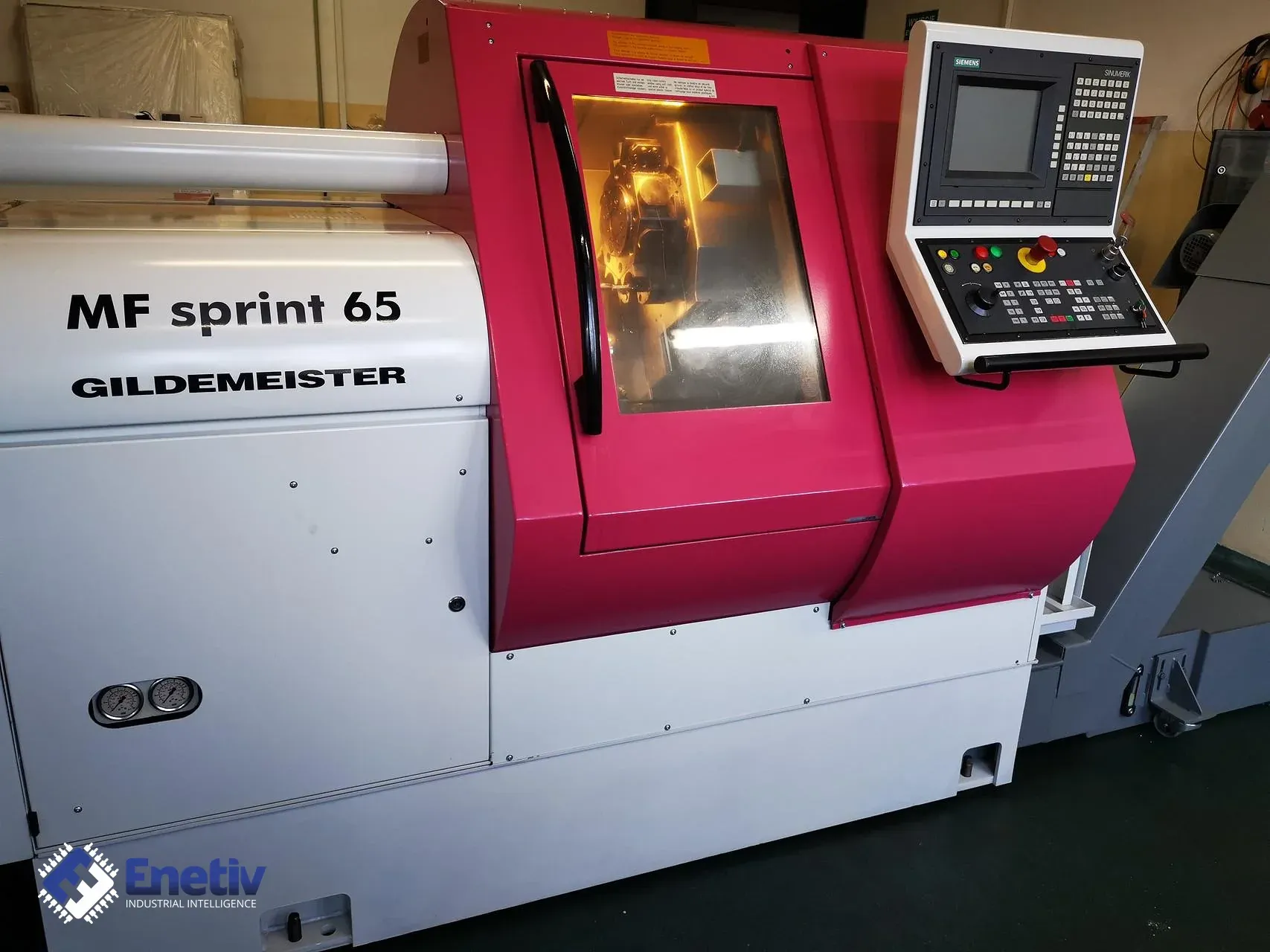
Service and repair of the Gildemeister MF sprint 65 with the Siemens Sinumerik system
Files to download
A stoppage on a CNC lathe should end quickly and without guessing what is inside the control cabinet. See what data to gather before a service request for the Gildemeister MF sprint 65 and in what order to run diagnostics.
Service and repair of the Gildemeister MF sprint 65 with the Siemens Sinumerik system
A CNC lathe working in series production, such as the Gildemeister MF sprint 65, only makes sense if every stoppage ends quickly and without guessing what exactly is sitting in the control cabinet. If you handle maintenance of such a machine or are considering buying it, well-organized documentation of the unit is the first service tool: it allows you to tell a fault from a version mismatch and saves hours with every service request.
What is known about the model and the control
The descriptions of two units of the MF sprint 65 give the control designated differently, so they should not be treated as a single model specification. In one of the described units, the machine has a Sinumerik 840 CNC control and a SIMAG 65.1 bar feeder working with it. In another described unit, the control is a Siemens Sinumerik 840C.
The practical significance of these designations is that the type of control and bar feeder determines which documentation and which procedures to use for diagnostics and repair. For this reason, the designation read from the machine itself is more important than the information about the lathe model. You should not assume that modules, drives or cards are interchangeable between control versions until data from the specific unit confirms it.
Data to prepare before a service request
The condition of the machine is often unknown, so the more complete the set of information that reaches the service at the start, the shorter the diagnostics will be. You should prepare:
- Machine nameplate: the full type designation and the serial number, because they identify the specific unit and its documentation.
- Control: the designation and version read from the operator panel or from the stickers on the modules, because the choice of procedures depends on them.
- Bar feeder: the designation from its nameplate, since it is a separate device with its own documentation.
- Photos: of nameplates, stickers and connectors, preferably before disconnecting any cables.
- Description of the symptom: what exactly is happening, in which cycle, after how long of operation, and whether the fault repeats in the same circumstances.
- Alarm messages: written down in the original, word for word, together with a Polish explanation of what the operator observed.
- Power supply and application: data about the power supply installation and about the type of production being carried out.
Inspection and data protection
Before any intervention, a backup of the control data and machine parameters should be made, because after a module is replaced or the battery-backed memory is exhausted, restoring the settings without a backup can be very time-consuming. It is worth labeling the backup with the date, the control designation and the serial number of the machine, and storing it away from the machine itself.
Next, a visual inspection of the control cabinet and the panel is carried out: the condition of connectors and contacts, signs of overheating, moisture, contamination from coolant and oils, and looseness in plugs. The LEDs on the modules are read and documented with a photo, and the stickers with the hardware and software version are written down, because differences in versions determine the choice of parts. Where possible, the values on analog inputs and outputs are checked with a calibrator or a current source, instead of relying solely on the reading on the screen. Every replaced part should be recorded together with its origin and designation, so that at the next failure the history of the machine is clear.
What to watch out for when testing (steps)
The order of actions matters, because many errors arise when someone starts by replacing parts and only then collects information.
- Collecting data about the machine, the control and the bar feeder, and the description of the symptom.
- Securing a backup of the data and parameters.
- Inspection of the cabinet, connectors, modules and wiring.
- Reading the active alarms and writing them down in their original wording.
- Narrowing the cause down to one of the areas: drives, control, power supply or accessories, including the bar feeder.
- Repair or replacement of the identified component with documentation of the origin of the part.
- Start-up and checking of the axes, spindles and communication between the control, the drives and the bar feeder.
When narrowing down the cause, it is good to start with the power supply, because its instability can produce symptoms resembling damage to a drive or the control. The first start-up after the repair should take place without workpiece material and at cautious feeds, observing the axes and spindles for unusual sounds and alarms. At the end, it is worth comparing the previously recorded alarms with the behavior of the machine after the repair and adding the result to the documentation of the unit.
Enetiv works in industrial automation from two sides: we supply parts and we repair them. We have new, used and refurbished parts from brands including Allen-Bradley (Rockwell Automation), Siemens, Schneider Electric, Bosch Rexroth and ABB, we diagnose and repair inverters, servo drives, I/O modules and controllers, we service motors and servomotors, with our own warranty on repairs. We also specialize in end-of-life (EOL) parts and service, including older-generation and unusual components. Please contact us at https://enetiv.com/zapytanie.
Sources
- Industrial Discount — Gildemeister MF SPRINT 65 lathe (year 1999) – description of a unit with a Sinumerik 840 CNC control and a SIMAG 65.1 bar feeder, website (English version)
- KD Machinery — Gildemeister MF Sprint 65 CNC lathe (year 1997) – description of a unit with a Siemens Sinumerik 840C control, website (English version)
Publication date: 19.11.2026